Neon Ping Pong
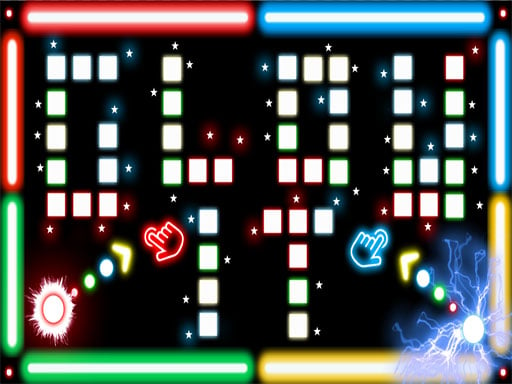
Classic Pong in neon, with adjustable AI and a local two-player mode.
 Loads instantly · Free · No install
About Neon Ping Pong
Neon Ping Pong is the original two-paddle game rebuilt in a neon arcade style, and it is on this site for the same reason Table Pong and Multiplayer Pong Time are: nothing else gets two people playing against each other quite this fast. There is one ball, two paddles, and no instructions required.
The championship edition adds the parts the original lacked. A settings menu lets you tune the experience before you start, and the single-player AI scales in difficulty rather than being a fixed wall — so solo practice is actually useful preparation for the two-player mode rather than a separate game.
How to play
Pick 1-Player against the AI or 2-Player local mode. Player 1 moves the left paddle up with W and down with S, or by moving the mouse or dragging a finger on the left half of the screen. Player 2 controls the right paddle in 2-Player mode — the developer's note on those controls is cut off in the listing, so check the game screen. Keep the ball in play and get it past your opponent. Use the settings menu to adjust paddle size and the maximum ball speed.
Controls
- Player 1 — W up, S down, or mouse / touch on the left half of the screen
- Player 2 — right paddle in 2-Player mode (the developer's listing of these controls is cut off)
- Settings menu adjusts paddle size and maximum ball speed
- 1-Player mode against an increasingly difficult AI
Tips to win
- Return to the middle of your side after every shot rather than tracking the ball early.
- Use the settings menu to even out a match — paddle size is a simple handicap between players of different ability.
- Practise in 1-Player mode; the developer describes the AI as increasingly difficult, so it keeps pushing you.
Neon Ping Pong strategy guide
Player 1 has three ways to move. The left paddle responds to W for up and S for down, and also to the mouse or a finger dragged on the left half of the screen. Player 2 takes the right paddle in 2-Player mode; the developer's description of those controls is cut off in the listing, so check the game screen before your first match.
Set the game up before you start. The Championship Edition's settings menu lets you adjust paddle size and set a maximum ball speed limit. These are not cosmetic: a ball speed cap is the difference between a rally that stays playable and one that becomes a reflex lottery, and paddle size is the cleanest way to handicap a match between two players of different ability.
Aim for open space. As in any Pong game, a return straight back at your opponent is the easiest one to defend. Watch where the other paddle is sitting and look for the part of the screen it is not covering. The developer does not describe any special shots, so positioning and timing are your tools.
Return to the middle of your side. Tracking the ball early feels responsive and leaves the other half of your side undefended the moment the angle changes. Reset to neutral after each shot, and you will be able to reach both corners instead of one. This matters more as the ball speeds up.
Use 1-Player mode as practice. The developer describes the single-player opponent as increasingly difficult rather than fixed, so it keeps pushing you as you play. That makes solo play useful preparation for the two-player mode, which is the point of having an AI that gets harder at all.
Neon Ping Pong FAQ
Can you play Neon Ping Pong alone?
Yes. 1-Player mode pits you against an AI that gets increasingly difficult as you improve.
What can you change in the settings menu?
Paddle size and a maximum ball speed limit, which is a good way to handicap a match or keep long rallies playable.
Can Player 1 use the mouse or touch instead of W and S in Neon Ping Pong?
Yes. Besides W (up) and S (down), the left paddle follows the mouse or a finger dragged on the left half of the screen.
Is the 2-Player mode in Neon Ping Pong played online?
No. The developer describes it as a 2-Player local mode, so both players face off on the same device, one on each paddle.