Masked Forces
Full multiplayer FPS deathmatch — masks on, guns up.
 Loads instantly · Free · No install
About Masked Forces
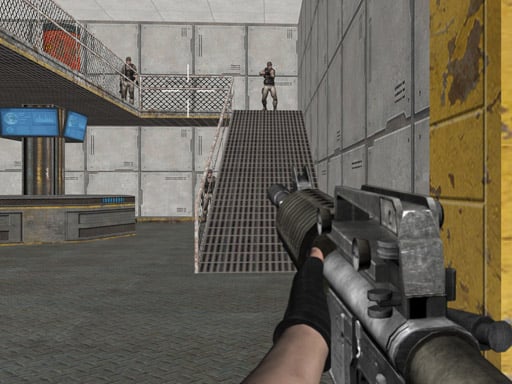
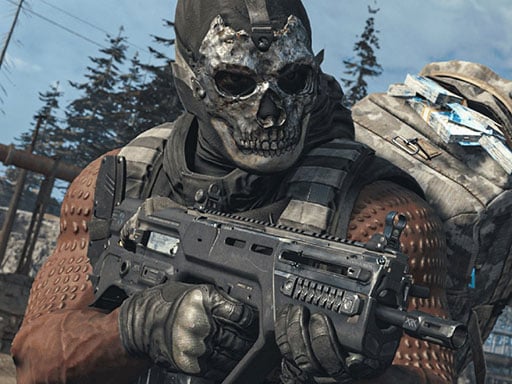
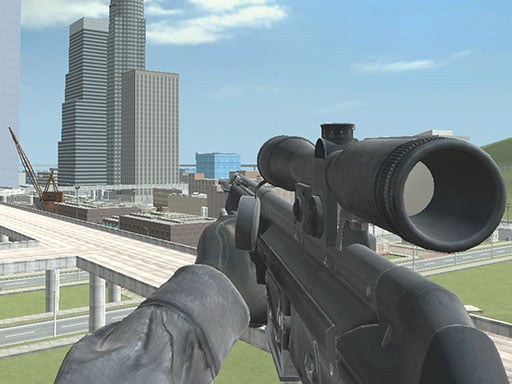
Masked Forces is a 3D first-person shooter that runs in the browser. Its developer pitches it at players who enjoy games like CS:GO or Call of Duty: your mission is to kill all your enemies, survive in a battlefield environment and win the battle. It offers both multiplayer and singleplayer missions, plus an armory and weapons shop.
The control set is a full PC shooter layout — W A S D to move, the mouse to aim and fire, R to reload, C to crouch, Space to jump, the mouse wheel to change weapons, T to chat and P to pause — so if you have played a desktop shooter before, nothing here will feel unfamiliar.
How to play
Move with W A S D, aim with the mouse and fire with the left button. Reload with R, crouch with C, jump with Space and scroll the mouse wheel to change weapons; T opens chat and P pauses. Pick multiplayer or a singleplayer mission, eliminate the enemies and survive to win the battle, then visit the armory and weapons shop.
Controls
- W A S D — move
- Mouse — aim, left click to fire
- Mouse wheel — change weapon
- R — reload
- C — crouch
- Space — jump
- T — chat
- P — pause
Tips to win
- Reload with R after every fight, before you move on.
- Crouch with C to make yourself a smaller target when holding an angle.
- Use the mouse wheel to switch to the weapon that suits the range.
Masked Forces strategy guide
Two ways to play. The developer lists both multiplayer and singleplayer missions. Singleplayer missions are a good place to learn the controls and the feel of each weapon without other players punishing mistakes; multiplayer is where the game's battle-survival goal is tested against people who adapt. Either way the objective is the same: kill all your enemies, survive and win the battle.
Know the full key set. Masked Forces uses a complete PC shooter layout: W A S D to move, left mouse click to fire, R to reload, C to crouch, Space to jump, the mouse scroll wheel to change weapons, T to chat and P to pause. Players coming from simpler browser shooters often never touch crouch or the scroll wheel, and that leaves useful tools unused.
Crosshair placement beats chasing with the mouse. Hold your aim at the height and spot where an enemy is likely to appear, rather than at the floor or a wall. Fights in first-person shooters are often decided in the first moment, and the less you need to move the mouse when an opponent appears, the sooner you can fire.
Reload on your own terms. Rounding a corner with a nearly empty weapon is one of the easiest ways to lose a fight. Press R after every encounter, including ones you won, and do it from a safe spot rather than in the open.
Switch weapons for the situation. The scroll wheel exists so you can change weapons mid-fight. If your current weapon is wrong for the distance, switching is often better than continuing to fire and hoping.
Use the armory and weapons shop. The developer lists an armory and a weapons shop among the game's features. Spending on one dependable weapon you can hit with consistently tends to serve you better than a flashy pick you rarely use well.
Masked Forces FAQ
Is Masked Forces multiplayer or single player?
Both. The developer lists multiplayer and singleplayer missions, so you can play against other people or take on missions on your own.
How do I change weapons in Masked Forces?
Scroll the mouse wheel to change weapons. Left mouse click fires and R reloads.
What is the goal of a battle in Masked Forces?
Kill all your enemies, survive in the battlefield environment and win the battle. Staying alive matters as much as getting eliminations.
What do P and T do in Masked Forces?
P pauses the game and T opens the chat. The rest of the layout is W A S D to move, Space to jump, C to crouch and R to reload.