Neon Hockey 2
Neon air hockey with three AI levels and adjustable mallets and puck speed.
 Loads instantly · Free · No install
About Neon Hockey 2
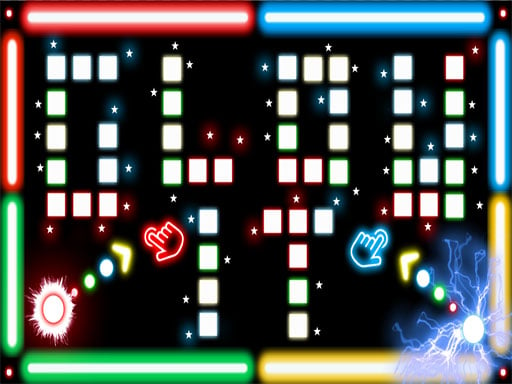
Neon Hockey 2 is arcade air hockey with the physics done properly — the puck carries momentum off the walls and off your mallet, so a well-angled deflection scores more often than a straight shot. Visually it sits in the same neon retro space as Air Hockey Glow, but the customisation is what sets it apart.
You can change mallet size and maximum puck speed before a match, which effectively lets two mismatched players set their own handicap. The single-player AI has three difficulty levels and is noticeably sharper than the first game, so there is a real ladder to climb before you take on a friend.
How to play
Choose 1 Player against the AI (three difficulty levels) or 2 Players local on one device. Move your mallet around your half of the rink to strike the puck and defend your goal; the puck bounces off the side walls, so angles matter. Matches are best of three periods, and the first to 7 goals wins a period. Adjust mallet size and maximum puck speed in the settings before starting.
Controls
- Player 1 — left mouse button, left half of a touchscreen, or WASD
- Player 2 — right half of a touchscreen or Arrow keys
- ESC or P — pause
- Options: mallet size, maximum puck speed, AI difficulty (three levels)
Tips to win
- Bank the puck off a side wall instead of shooting straight; a direct shot is the easiest one to block.
- Stay just in front of your goal rather than chasing the puck upfield — over-committing leaves your goal open.
- Lower the maximum puck speed when a newer player joins, then raise it as they improve.
Neon Hockey 2 strategy guide
Neon Hockey 2 is played as a best of three periods, and you need seven goals to win a period. That format rewards consistency over one lucky streak, because losing a single period does not end the match. Pace yourself and treat each period as its own contest. A calm defender often wins more periods than a reckless attacker.
Pick the control method that suits your device before the puck drops. Player 1 uses the left mouse button, the left half of a touchscreen, or WASD; Player 2 uses the right half of the screen or the arrow keys. On one keyboard, WASD against the arrows is the clearest split. Press ESC or P to pause if you need a break.
Use the walls, because angled shots are harder to stop than straight ones. The gameplay is physics-based, so the puck comes off the side walls as well as your mallet. A straight shot at goal is the easiest one for your opponent to block. Banking the puck off a wall forces them to read an extra bounce, and that split second is often enough.
Climb the three AI difficulty levels before you take on a friend. The 1 Player mode features significantly improved AI across three difficulty levels, which makes it a real practice ladder. Beat the easiest level cleanly, then move up. Each step teaches you to defend faster and pick your shots better, and a common mistake is jumping straight to the hardest level.
Use the settings to balance a mismatched match. You can change mallet size and maximum puck speed, which lets players of different skill levels set up a fairer contest. A lower maximum puck speed gives newer players more time to react, while a higher one suits experienced players. Try a few combinations until matches regularly go the distance across all three periods.
Neon Hockey 2 FAQ
Is Neon Hockey 2 a 2 player game?
Yes. It has a 2 Players mode for local multiplayer on a single device, as well as 1 Player against the AI.
Is Neon Hockey 2 free?
Yes, Neon Hockey 2 is free to play in your browser on PlayTundra.
How do you win a match in Neon Hockey 2?
Matches are best of 3 periods, and you need 7 goals to win a period. Win two periods to take the match.