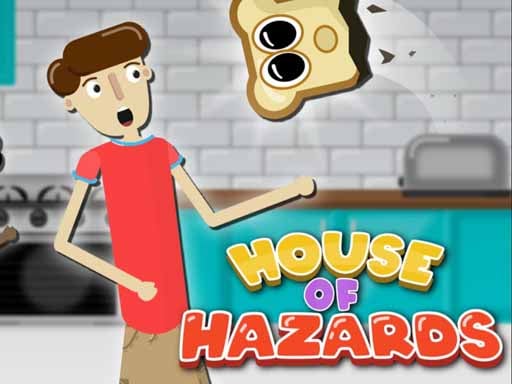
House of Hazards Online
Do the chores. Sabotage your friend. Repeat.
 Loads instantly · Free · No install
About House of Hazards Online
House of Hazards is a same-keyboard comedy of errors. One player has a list of dull household jobs — make the coffee, check the mailbox, water the flowers — and the other player controls the house itself, firing toast out of the toaster, dropping light fittings and turning taps into water cannons at exactly the wrong moment.
The joke is that the tasks are trivial and completing them is nearly impossible. Rounds are short, the sabotage is visible a split second before it lands, and both roles are fun, which is why it has become one of the most-shared two-player games on school machines.
How to play
Player 1 moves with A and D, jumps with W and crouches with S. Player 2 moves with J and L, jumps with I and crouches with K. The same movement keys cycle through the hazards you can trigger when it is your turn to sabotage — walk to a hazard, select it, and set it off as your opponent approaches their next chore.
Controls
- Player 1 — A / D move, W jump, S crouch
- Player 2 — J / L move, I jump, K crouch
- Movement keys also change hazard selection
- Crouch key grabs a downed player
Tips to win
- Crouching dodges most flying hazards — toast and lasers travel at standing height.
- As the saboteur, wait until your rival commits to the animation of a chore; they cannot cancel it.
- Finish the mailbox task early. It is the furthest from cover and gets harder as hazards unlock.
House of Hazards Online strategy guide
The game is about commitment, not reflexes. Every chore in House of Hazards has a short animation you cannot cancel once it starts — pouring the coffee, opening the mailbox, watering a plant. The saboteur is not trying to hit a moving target; they are waiting for the half second where the target stops being able to move at all. Once you understand that, both roles get much better: as the worker you learn to start a task only when you have seen where the hazard is aimed, and as the saboteur you stop firing at a running player and start firing at a committed one.
Learn the crouch. Crouch is the single most undervalued key in the game. The toaster, the laser and most of the thrown objects travel at standing height in a flat line, so a well-timed crouch beats them outright where a jump does not. Jumping is for floor-level hazards and for crossing the room quickly; crouching is for anything that flies. Players who only ever jump lose to the toaster all afternoon.
Route your chores by distance, not by ease. New players do the nearest job first because it feels productive. The better order is the opposite: clear the mailbox and anything else out in the open early, while the saboteur has fewer hazards unlocked and less of the map covered. Save the jobs near cover for late in the round, when you will need somewhere to hide between attempts.
As the saboteur, control space rather than chase knockdowns. You do not need to land every hazard. Making one corridor genuinely dangerous forces your opponent into the long route for the rest of the round, which costs them far more time than a single knockdown. Set up near the chore they still have left, not near the one they just finished.
Use the grab. Picking a downed player up and carrying them somewhere useless — or locking them in a chest — is the highest-value move in the game and the one most players forget exists. A knockdown buys you a couple of seconds; a relocation buys you the rest of the round.
House of Hazards Online FAQ
Can two people play on one keyboard?
Yes — that is the main way to play. Player 1 uses A, D, W and S on the left of the keyboard and Player 2 uses J, L, I and K on the right, so both players share one machine comfortably.
Can I play it alone?
It is built around two players on one keyboard, so it is at its best with a friend. Playing solo means operating both sides yourself, which works but loses the point of the game.
What is the goal in House of Hazards Online?
Complete simple household tasks, such as making coffee, checking the mailbox and watering the flowers, while avoiding the hazards your friends set off. Ultimately, your goal is to leave the house.
What hazards can you use against other players in House of Hazards Online?
You can fire taps, toast and lasers at your housemates and drop lights on their heads. You can even pick up a knocked-down player and lock them in a chest.