Every Arcade Game on PlayTundra, Sorted by How You Control It
The Arcade & Runners section has 24 games, and what they ask of your hands varies more than the section name suggests. Paws Up has exactly one action, a jump, which you can trigger three different ways. Slope City uses two keys, left and right, and nothing else. Ragdoll Rush 3D: Sky Race gives you full movement, a jump key and a pause key, plus a separate joystick layout for phones. Block Blaster is not a reflex game at all; you drag shapes onto a grid.
This page sorts all 24 by input: games built around one button and its timing, games where you only steer left and right, lane runners, platformers with full movement, games played by drawing or dragging, and one head-to-head duel. Each group has a table with the input the developer lists and what the developer says you are trying to do. The control references on our game pages were matched against each developer listing using the game's distribution ID, the 32-character code the game is served from, rather than by title. Where our page says something the developer listing does not, this guide follows the listing and says so.
What the section asks for, in numbers
Counting the inputs in the 24 developer listings gives a clear picture of the section:
- 18 of 24 list keyboard input. Of those, 14 also list a mouse, tap, swipe or on-screen alternative, two (the Obby games) pair the keyboard with the right mouse button for the camera, and two (Slope City and Flying Sahur) list keys only.
- 5 of 24 list only a mouse or touch input and no keys at all: Giant Snowball Rush, Jumper Jam, Tap Tap Reloaded, Block Blaster and Slope Extra.
- 1 of 24, Temple Quest, lists no input of any kind; its developer instructions describe goals only.
- 2 of the 18 keyboard games name no specific keys: Yeti Sensation says only "Keys" and Dune Surfer 3D only "Keyboard".
- 1 of 24 supports two players on one device: Battle Wheels.
So the section leans toward the keyboard, but 19 of the 24 can be started without one, either because a touch or mouse option is listed or because there are no keys at all. The exceptions that do need a keyboard are the two key-only games above and the two Obby games.
1. One button, and when you press it
| Game | Input the developer lists | What you do (per the developer) |
|---|---|---|
| Paws Up | Space, left mouse button, or tap the screen to jump | Help a cat jump higher on moving platforms that slide in from different sides; land perfectly for bonuses and to unlock music notes; endless, for a high score |
| Mini Switcher | Desktop: X, Space or left click to switch gravity. Mobile: touch to switch gravity | Guide a small blob to the goal across around 30 levels of enemies and obstacles with different behaviors; a speed run mode for testing yourself |
| Tap Tap Reloaded | Mouse control | A rhythm game: tap along to songs. Practice mode lets you change the note speed and pick sections of a song; lane angle, note speed, size and colors can be customized |
| Giant Snowball Rush | Tap and hold to move | Push a snowball to the finish line, avoiding obstacles and collecting coins and props; the ball grows as you push, and a bigger ball is harder to control |
These four look alike on paper and play on different clocks. In Paws Up the question is when to jump relative to a platform that is still moving. Mini Switcher replaces the jump with a gravity flip, so the one button sends you to the ceiling or back down, and it is the only one of the four with a fixed number of levels. Tap Tap Reloaded sets the timing to music, and its practice mode, with adjustable note speed, is the closest thing in the section to a training option. Giant Snowball Rush is about holding rather than tapping, and its developer builds in a trade-off: the longer you push, the bigger and less manageable the ball becomes. Giant Snowball Rush is also covered in our mouse-only games guide.
2. Left and right only: the Slope games and Flying Sahur
In these six the forward motion is automatic. You choose a horizontal position and nothing else; the developers list no jump or brake for any of them.
| Game | Input the developer lists | What sets it apart (per the developer) |
|---|---|---|
| Slope City | A and D, or Left and Right arrows | Control a ball that accelerates through a series of interconnected slopes |
| Slope City 2 | PC: A and D, or Left and Right arrows. Mobile: swipe to steer | A redesigned city map; buy balls and change their design in the shop; special abilities are bought with diamonds collected on the map |
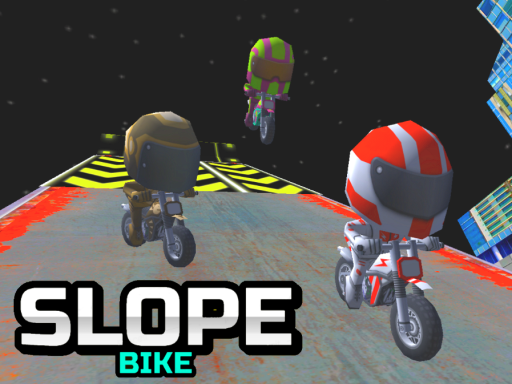
| Slope Bike | PC: A and D, or Left and Right arrows. Mobile: swipe | The same interconnected slopes, ridden on a bike that accelerates |
| Neon Ball Slope | Arrow keys move the ball horizontally. Mobile: press the left or right side of the screen | An endless 3D slope that gets steeper; coins unlock upgrades and gear, XP levels you up, missions and daily leaderboards |
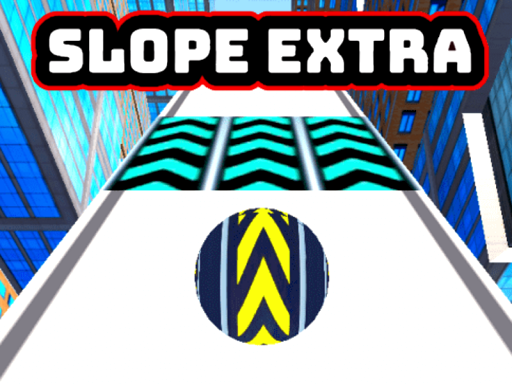
| Slope Extra | The ball follows the mouse; move it left and right | An accelerating ball on sloping ramps; go the farthest distance without hitting obstacles |
| Flying Sahur | Hold the Right arrow to fly right, hold the Left arrow to fly left, hold no arrow to fly in the middle | An endless flying game: collect coins, unlock costumes and beat your high score |
The four keyboard Slope games share the same two inputs, so the choice between them is about what sits around the run. Slope City is the plain version, and its developer lists no mobile control. Slope City 2 adds a shop and diamond-bought abilities, Slope Bike swaps the ball for a bike, and Neon Ball Slope has the most progression: upgrades, gear, XP, missions and daily leaderboards. Note that Neon Ball Slope's developer names only the arrow keys, not A and D. Slope Extra is the mouse version, where the ball follows the pointer instead of responding to key presses; it also appears in the mouse-only guide.
Flying Sahur works differently from the Slope games even though it uses the same two arrows. Its developer describes three fixed positions: holding an arrow moves you to that side, and letting go of both returns you to the middle. Releasing is an input in its own right here, which is not true of any Slope game.
3. Lane runners
| Game | Input the developer lists | What you do (per the developer) |
|---|---|---|
| Skate Hooligans | Arrows, or swipes, to move | Choose your hero, collect coins, upgrade bonuses, buy skateboards, avoid obstacles and score as much as you can |
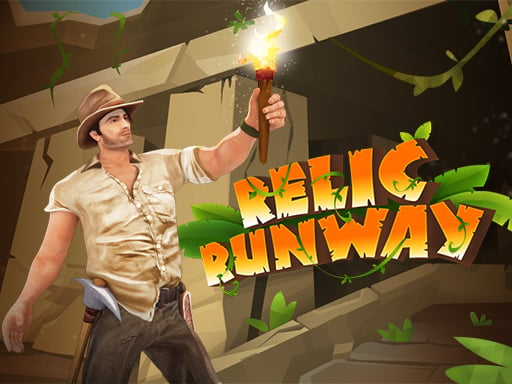
| Relic Runway | Arrows, or swipes, to move | Run as far as you can; collect coins, upgrade bonuses, pick up relic parts to discover ancient artifacts and break idols to unlock characters |
| Yeti Sensation | Keys, or swipes, to move (no specific keys named) | Help the Yeti avoid sly snowmen, traps and other obstacles, buy boosts in the supermarket and run as far as possible |
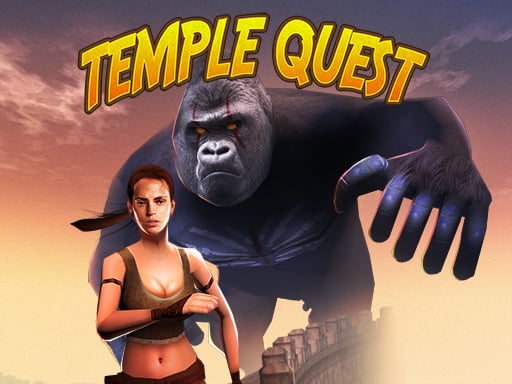
| Temple Quest | None listed | Run through an endless maze of temple ruins collecting golden idols, coins and power-ups; fulfill objectives to grow your score multiplier; outfits have special abilities |
| Snake Run: Eat & Grow | A or Left arrow move left, D or Right arrow move right, W or Up arrow move forward; mouse click or tap to play | Guide a snake through levels, collect food to grow longer and avoid obstacles; the bigger you get, the harder the run |
The developer listings for these games are short. Skate Hooligans and Relic Runway say only "Arrows" and "Swipes", and Yeti Sensation says "Keys". Our game pages break the arrows down into lane changes, jumping and sliding; the developer listings do not, so this guide does not either. The difference between the three is in what you collect and spend: skateboards in Skate Hooligans, relic parts and unlockable characters in Relic Runway, boosts from a supermarket in Yeti Sensation. Temple Quest is the one built around objectives, since completing them raises your score multiplier. Snake Run is the only runner here whose developer names a forward key, and the only one where collecting makes your character physically longer.
4. Platformers with full movement
| Game | Input the developer lists | Structure (per the developer) |
|---|---|---|
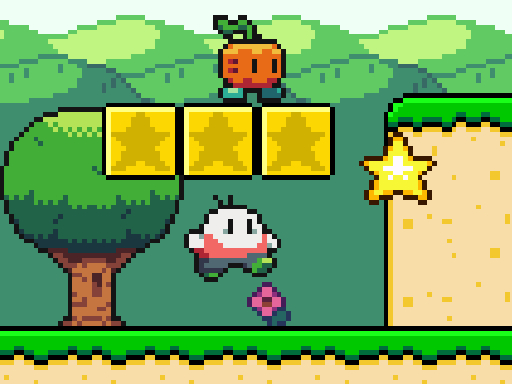
| Super Onion Boy | Arrow keys move, Z jump, X fire, P pause menu; mouse or touch to start; touch to play on mobile | Save the princess imprisoned in a magic bubble: defeat the monsters along the way, dodge obstacles and reach the final boss |
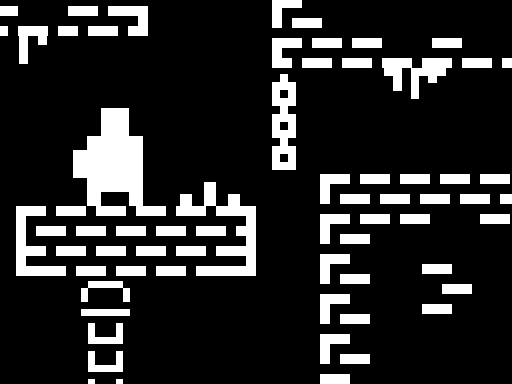
| One Bit | W A S D or arrow keys move, C takes a checkpoint; touch controls on mobile | Complete the obstacle tracks with a one-bit character, taking checkpoints as you go |
| Ragdoll Rush 3D: Sky Race | Desktop: W A S D or arrow keys move, Space jump, Escape pause. Mobile: drag the left joystick to move, tap the arrow button to jump | 25 obstacle courses across five worlds, racing two computer-controlled rivals; swinging hammers, checkpoints, 15 outfits and three-tier upgrades; every course can be finished without upgrades |
| Obby Tsunami Runner | W A S D move, Space jump, hold the right mouse button to look around | A multiplayer game: run from the tsunami, survive each wave and earn wins to unlock characters and trails |
| Obby +1 Double Jump | W A S D walk, Space jump, hold the right mouse button to look around; click or jump to gain XP | 10+ stages of floating platforms; reach the end of a stage to earn Wins; leveling up unlocks the Double Jump |
Super Onion Boy is the only platformer in the section with an attack key and a boss, and the only one with a story goal. One Bit is unusual in making the checkpoint a key you press, C, rather than something you pass through. Ragdoll Rush 3D has the most complete control listing in the whole section, with separate desktop and mobile schemes, and the clearest structure: a fixed 25 courses against two rivals.
The two Obby games are the ones that need a keyboard and a mouse together, since the camera is on the right mouse button. Obby Tsunami Runner is about surviving a wave alongside other players; Obby +1 Double Jump is about crossing stages, and it is the only game here where a move, the double jump, is earned by leveling up rather than available from the start. Its developer instructions are cut off mid-word after the leveling section, so nothing past that point is quoted.
5. Drawing and dragging
| Game | Input the developer lists | What you do (per the developer) |
|---|---|---|
| Dune Surfer 3D | "Keyboard and mouse touch" (no keys or actions specified) | Draw, surf and slide out of the dunes: a ball in the air, a stickman on the surface. Avoid rolling stones, darts, sharks and alligators; white obstacles kill instantly; draw clean lines so you do not sink |
| Block Blaster | Drag and drop blocks into an 8x8 grid | Fill rows or columns to clear them; blocks cannot be rotated |
Dune Surfer 3D is the only game in the section where you shape the ground yourself; its developer describes drawing as the core action. The developer's instructions mention both a keyboard and mouse or touch without saying what each does. Our game page lists only mouse or finger drawing, so treat any keyboard role as unconfirmed. Block Blaster has no timer or chase in its developer listing; the only pressure is space on the board, and the no-rotation rule is what makes placement matter.
6. Head-to-head: Battle Wheels
| Game | Input the developer lists | Format (per the developer) |
|---|---|---|
| Battle Wheels | Player 1: W A S D or arrow keys to move and balance the car. Player 2 (two-player mode): the opposite side's keys. Mobile: on-screen buttons | Smash the opponent's head to win a round; first to 3 round wins takes the match. Solo against 1000 AI opponents through five leagues (Bronze, Silver, Gold, Diamond, Obsidian), or 2 players locally, red against blue; coins buy cars, wheels and Damage and Health boosts |
Battle Wheels is the section's only game with an opponent you can see and hit, and the only one with a local two-player mode. Its developer lists "balance" as part of the movement keys, so position matters as much as speed. For more games two people can share at one keyboard, see the two-player, one-keyboard guide.
Picking by situation
- One input only: Paws Up, Mini Switcher, Tap Tap Reloaded, Giant Snowball Rush.
- A defined end: Mini Switcher (around 30 levels), Ragdoll Rush 3D (25 courses), Obby +1 Double Jump (10+ stages), Super Onion Boy (final boss), Giant Snowball Rush (finish line).
- No keyboard listed: Giant Snowball Rush, Jumper Jam, Tap Tap Reloaded, Block Blaster, Slope Extra.
- Other players: Battle Wheels (local), Obby Tsunami Runner (online multiplayer, per the developer).
Jumper Jam does not fit neatly into a group above. Its developer compares it to Doodle Jump and lists only "mouse click or tap to play", with coins to collect and records to set. Our game page adds left and right arrow steering and automatic jumping; the developer listing mentions neither, so this guide places it with the mouse and touch games and leaves it there.
How this page was put together
This page does not rank or score the games, and none of it comes from playing them. It lines up facts already on the 24 game pages, the inputs, modes, level counts and goals, after those facts were checked against each developer listing by distribution ID. The counts in the numbers section come from the input lines in those 24 listings. Where our page says more than the developer listing, as with the jump and slide keys on the lane runners and Jumper Jam's arrow-key steering, this guide follows the listing.