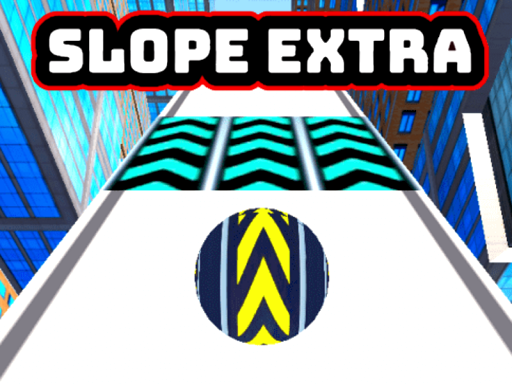
Slope Extra
A mouse-steered slope runner — the ball simply follows your cursor.
 Loads instantly · Free · No install
About Slope Extra
Slope Extra is an endless ball roller down a chain of sloping ramps, and its one real difference from the rest of the shelf is the control scheme: the ball follows your mouse. There are no steering keys at all — you move the cursor left and right and the ball tracks it, which makes movement analogue rather than the on/off taps of a keyboard game.
That changes how it plays. Fine corrections are easier and wide swerves are harder to overshoot, but a careless cursor jerk sends the ball straight off a ramp. If you prefer keys, Slope City and Slope Bike cover the same idea with A and D.
How to play
Move the mouse left and right — the ball follows the cursor across the ramp. There is no jump and no brake; the run continues until you fall off the side or miss a gap. Keep the cursor close to the ball rather than flinging it, since the ball chases the pointer as fast as it can.
Controls
- Move the mouse left and right — the ball follows the cursor
- No keyboard input
- Single player; endless run
Tips to win
- Make small cursor movements. The ball tracks the pointer directly, so a fast flick becomes a fast fall.
- Rest your hand rather than hovering — steadiness matters more here than in the key-steered Slope games.
- Look ahead down the ramp and drift the cursor toward the safe side early instead of correcting at the last moment.
Slope Extra strategy guide
The cursor is the steering wheel. Slope Extra has no keys to learn: the ball follows your mouse left and right, and that is the entire input. The consequence is that your hand position on the desk matters more than in any key-steered roller. Players who hold the mouse loosely tend to drift the ball without meaning to, and a drift at speed is a fall. Rest your wrist, keep the grip light but still, and treat the centre of the ramp as home.
Speed only goes up. The ball accelerates continuously and there is no brake, so the early ramps are the only place you get time to think. Use them to find how far the ball lags behind the cursor. Once you know that gap, you can lead the ball by the right amount instead of dragging it after every obstacle.
Read two obstacles ahead. New obstacle types appear as the run continues, and the ones that end most runs are the pairs that sit on opposite sides of the ramp in quick succession. If you steer fully around the first, you arrive at the second too wide. Aim for the gap that also leaves you centred for the next one.
Common mistakes. The first is overcorrecting: a big sweep of the mouse moves the ball further than you meant, and the reverse sweep throws it off the other edge. The second is watching the ball instead of the track. At high speed the ball itself tells you nothing new; the track beyond it does.
Chasing distance. Because the run is endless, your score is simply how far you got. A good session goal is to beat your last distance by a small margin rather than by a lot — the jump in speed near your record is what catches people, not the obstacles themselves.
Slope Extra FAQ
Can you steer Slope Extra with the keyboard?
No. The published controls are mouse only: the ball follows the cursor as you move it left and right.
Does the ball ever slow down in Slope Extra?
No. The ball keeps accelerating for the whole run, which is why the later sections feel so much harder than the start.
What ends a run in Slope Extra?
Hitting an obstacle or rolling off the ramp. There are no lives, so each run is a single attempt at a longer distance.
How is Slope Extra different from Slope City?
Slope City is steered with A and D or the arrow keys; Slope Extra is steered entirely by the mouse, which makes small corrections easier but big swerves riskier.