Slope City 2
The Slope City sequel — redesigned city map and a shop full of balls.
 Loads instantly · Free · No install
About Slope City 2
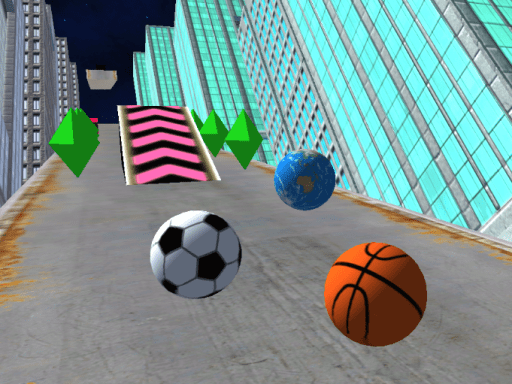
Slope City 2 is the follow-up to Slope City, and the headline change is the map: the city course has been redesigned rather than simply extended, so the obstacle rhythm you learned in the first game does not carry over cleanly. The ball still accelerates the whole way down and the run still ends the moment you leave the track.
The other addition is a shop. You can buy new balls there to change their design, and diamonds collected on the new city map pay for special abilities. That gives a long session something to aim at beyond the distance counter, while the core stays the same one-axis reflex test that makes the Slope games easy to start and hard to put down.
How to play
Press A and D, or the left and right arrow keys, to steer the ball as it rolls. Nothing controls speed — the ball accelerates on its own, so the whole game is staying on the track and reading the next section early. On phones and tablets, swipe left or right to steer. Collect diamonds on the city map and spend them in the shop on new balls and special abilities.
Controls
- A and D, or Left and Right arrows — steer
- Swipe left or right on mobile
- Single player; distance is your score
Tips to win
- Do not assume course knowledge from the first game transfers — the city map was rebuilt, so read it fresh.
- Steer in short taps. A held key at high speed walks you off the edge before you notice.
- Watch the far end of the visible track rather than the ball; at full speed you need the turn queued before you arrive.
Slope City 2 strategy guide
Forget the first map. Slope City 2 keeps the controls of the original but rebuilds the city course, so players coming from Slope City often fall early by steering for turns that no longer exist. Spend your first few runs reading the new layout rather than racing it.
Steering is one axis. A and D, or the left and right arrows, move the ball sideways; on a phone or tablet you swipe. There is no brake and no jump, and the ball keeps accelerating. That means the only decisions you make are where to be on the track and when to move there. Short taps give you far better control than holding a key, especially once the speed builds.
Diamonds and the shop. The new city map has diamonds scattered along it, and the shop uses them for special abilities; you can also buy balls with a different design. Collecting is worth it only when the diamond sits on a safe line. A diamond at the edge of a narrow section is the most common way a strong run ends.
Common mistakes. Holding a key through a turn walks the ball off the far side. Looking at the ball instead of the track ahead leaves no time to line up the next section. And changing lanes for a diamond just before a gap is a trap the map sets repeatedly.
How to improve. Pick a checkpoint you reach reliably — a particular building or bend — and focus on the section right after it. Most of your best-distance gains will come from cleaning up one section at a time rather than from pushing the whole run faster.
Slope City 2 FAQ
What is new in Slope City 2 compared with Slope City?
The city map has been redesigned, and there is a shop where you can buy new balls and spend diamonds on special abilities.
What are diamonds for in Slope City 2?
Diamonds are collected on the new city map and used to purchase special abilities in the shop.
How do you steer in Slope City 2?
A and D or the left and right arrow keys on a computer; swipe left or right on a phone or tablet.
Can you slow the ball down in Slope City 2?
No. The ball accelerates on its own for the whole run, so staying on the track is the only thing you control.