One Bit
Minimalist precision platforming — one bit, zero mercy.
 Loads instantly · Free · No install
About One Bit
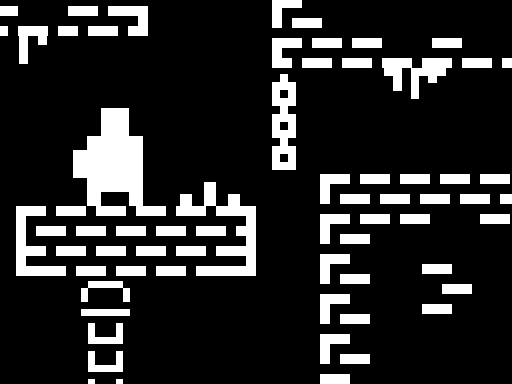
One Bit strips platforming to its skeleton: a one-bit character, stark two-tone tracks, and obstacle runs where the only variables are your timing and your nerve. Checkpoints exist — reaching them is the entire drama.
The minimalist look isn't a gimmick; with nothing on screen but you and the hazards, every death is unambiguous and every clean streak feels earned. It's the “git gud” genre in its most honest outfit.
How to play
Run and jump with the keys shown at start (or taps on mobile). Learn each obstacle's cycle before committing, bank every checkpoint you can reach, and treat the section after a checkpoint as a fresh puzzle rather than a victory lap.
Controls
- W A S D / Arrow keys — move
- C — take a checkpoint
- On-screen touch controls — play on touch devices
Tips to win
- Watch one full hazard cycle before your first attempt — rhythm beats reflex.
- The step *after* the checkpoint kills more runs than the one before it.
- Frustrated? One clean deep breath outperforms five tilted retries.
One Bit strategy guide
Watch one full hazard cycle before you commit. One Bit strips everything away except you and the obstacles, which means every hazard is on a visible, repeating cycle. The fastest way through a new section is to stand safely and watch it loop once. Ten seconds of observation regularly saves a dozen deaths, and because the visual style is so stark there is nothing to distract you while you look.
Checkpoints are the real objective. Reaching the next checkpoint, not finishing the track, is what each attempt is actually for. That changes how you should play a risky section: if a checkpoint is close, a cautious approach that banks it is worth far more than a fast approach that might reach further. Press the checkpoint key when you get there — an unbanked checkpoint is worth nothing.
The step after the checkpoint kills more runs than the one before it. There is a consistent psychological trap here. Having just banked progress, players relax and walk straight into the next hazard without reading it. Treat the section after a checkpoint as an entirely fresh puzzle that you have not seen, because functionally you have not.
Rhythm beats reflex. Because the hazards cycle rather than react, the tracks are solvable by timing rather than by fast reactions. If a section feels like it demands superhuman speed, you are almost certainly entering it at the wrong point in the cycle. Wait a beat, enter on the correct phase, and the same section becomes routine.
Stop when you tilt. This genre punishes frustration more than most, because the inputs are precise and small and annoyance makes them sloppy. A single deliberate pause after a run of deaths genuinely outperforms five more immediate retries, and the minimal presentation means there is nothing to reset except your own timing.
One Bit FAQ
How do checkpoints work?
You bank them yourself with the C key when you reach one. Progress is saved from there, so taking a checkpoint is worth pausing for.
Is it a two-player game?
No, One Bit is single player.
Which keys move the character in One Bit?
You move with W A S D or the arrow keys, and press C to take a checkpoint. On a touch device, on-screen touch controls are available instead. The goal is to get your one-bit character through the tracks by completing the obstacles, banking checkpoints along the way.
How do you win One Bit?
You win by completing the obstacles and overcoming the tracks with your one-bit character. Checkpoints are part of the plan: take one with the C key whenever you reach it, so your progress is saved from that point before you tackle the next stretch of obstacles.