Soccer Pixel
Retro two-player football — one key each, five goals to win.
 Loads instantly · Free · No install
About Soccer Pixel
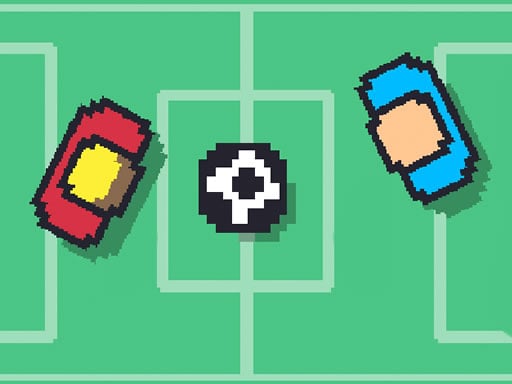
Soccer Pixel is football stripped back to a pixel pitch and one key per player. The wrinkle that makes it more than a novelty is the acceleration: how hard you lean on your key decides how fast your player runs, so short taps give you control and sustained pressure gives you a sprint. First to five goals takes it.
If you came here from Soccer Random, this is the calmer sibling — the physics behave themselves, and the match is decided by positioning rather than chaos.
How to play
Player 1 uses W and player 2 uses the up arrow key; on a phone or tablet, control it by touching the screen. How hard you press the key controls how fast your player accelerates, so tap for fine positioning and hold for a sprint. Score five goals to win the match.
Controls
- Player 1 — W
- Player 2 — Up arrow
- Touch controls on mobile
- Two players on one keyboard
Tips to win
- Tap rather than hold when you are near the ball — a sprinting player overshoots it.
- Save the sprint for getting back on defence, not for chasing a loose ball forward.
- Five goals is a short match, so an early two-goal lead is usually decisive. Defend it.
Soccer Pixel strategy guide
One key per player. Player 1 plays on W and Player 2 on the Up arrow, sharing one keyboard; on a phone or tablet you touch the screen instead. There is nothing else to learn about the controls, which means the whole match comes down to how you use that single key. It is the kind of game you can explain to a friend in five seconds and still be arguing about ten rematches later.
Pressure is speed. The game ties acceleration to how much you press your key. Short taps keep your player slow and precise, while sustained pressure builds into a sprint. Learning where one turns into the other is the real skill here, because a player running flat out is fast but hard to stop exactly where the ball is.
First to five goals. A match ends as soon as someone scores five, so there is very little time to recover from a slow start. Treat every goal as a big share of the game rather than one of many. If you go up by two early, your job changes from attacking to protecting that gap.
The common mistake is holding too long. New players tend to lean on the key the entire time and end up overshooting the ball or running past the play. When you are close to the ball, switch to short taps and let it come to you. Save the long press for moments when distance matters, such as racing back to defend your goal.
How to get better. Play a few matches paying attention only to your speed, not the score. Notice how long you can press before your player becomes hard to control, then use that as your limit. The retro pixel look keeps everything readable, so watch your opponent's position as closely as your own and time your taps to meet the ball rather than chase it.
Soccer Pixel FAQ
Is Soccer Pixel a 2 player game?
Yes. It is a retro football match against a friend, with both players sharing one keyboard: W for Player 1 and the Up arrow for Player 2.
How do you win in Soccer Pixel?
Score five goals before your opponent does. Your player speeds up the more you press your key, so mix short taps for control with longer presses for speed.
Why does my player overshoot the ball in Soccer Pixel?
Players accelerate depending on how much you press your key, so a long press builds up a lot of speed. Ease off with shorter presses as you get close to the ball.