Save the Dummy
Draw shields, ramps and plugs to rescue the dummy.
 Loads instantly · Free · No install
About Save the Dummy
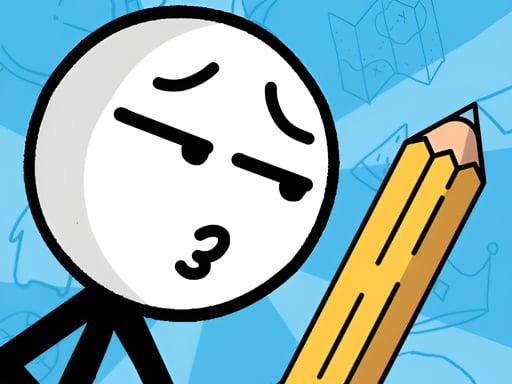
Save the Dummy is a drawing puzzle game about rescuing a little stickman. Each scenario puts the dummy in trouble, and your job is to use your drawing skills and concentration to solve the puzzle and save him — with the mouse on a computer or your finger on a touch screen.
The game moves quickly and comes with many fully animated scenarios, some dramatic and some silly, so every new puzzle asks you to think about the situation in front of you rather than repeat the last solution.
How to play
Look at the scenario first and work out what is putting the dummy in danger. Then draw your solution with the mouse on PC, or by touching the screen on mobile. Think quickly, but draw with purpose — the goal of every puzzle is to save the stickman.
Controls
- Mouse / touch — draw protective shapes
Tips to win
- Study the whole scenario before you draw — the danger is not always where you look first.
- Draw deliberately; a clear, purposeful line is easier to judge than a rushed scribble.
- Every scenario is different, so don't assume the last solution will work again.
Save the Dummy strategy guide
Read the scene before you pick up the pen. Save the Dummy is a drawing puzzle: each scenario puts the little stickman in danger, and you save him by drawing. The fastest way to fail is to start drawing the moment the level appears. Take a second to look at the whole scene and ask what exactly threatens the dummy and from where. The answer to that question usually tells you what to draw.
Creativity counts, but so does concentration. The game describes itself as a test of both your drawing skills and your concentration. There is rarely one obvious picture to draw, which is what makes the puzzles fun, but a creative idea only works if you draw it carefully. A clear, deliberate line is easier to judge than a frantic scribble, and it is much easier to adjust your thinking when you know exactly what you drew.
Treat every scenario as new. There are many animated scenarios, and they do not all ask the same thing. A solution that saved the dummy two puzzles ago may be useless in the next one. Players who get stuck are often trying to force a familiar answer onto a situation that needs a different one.
Speed comes from understanding, not hurry. It is a fast-paced game, and the quickest players are the ones who recognize the problem quickly, not the ones who draw first and think later. If a puzzle beats you, look again at what went wrong for the dummy and change your idea instead of drawing the same thing faster.
Mouse and touch feel different. On a computer you draw with the mouse; on a phone or tablet you touch the screen. If your lines come out shaky with one method, slow your hand down — a steady stroke matters more than a fast one.
Save the Dummy FAQ
What is the goal in Save the Dummy?
Each puzzle puts a little stickman, the dummy, in a scenario where you use your drawing skills to save him. Solving the puzzle means drawing something that gets him out safely.
How do you draw in Save the Dummy on PC and on mobile?
On a computer you draw with the mouse. On a phone or tablet you touch the screen to draw.
Does speed matter in Save the Dummy?
It is described as a fast-paced drawing game that tests concentration as well as creativity, so recognising the problem quickly helps.
I am stuck on a scenario. What should I do?
Look again at what is putting the dummy in danger and change your idea rather than redrawing the same thing. Each scenario is different, so an earlier solution may not apply.