Pixel Art: Color by Numbers
Zone out and fill numbered pixels into tiny masterpieces.
 Loads instantly · Free · No install
About Pixel Art: Color by Numbers
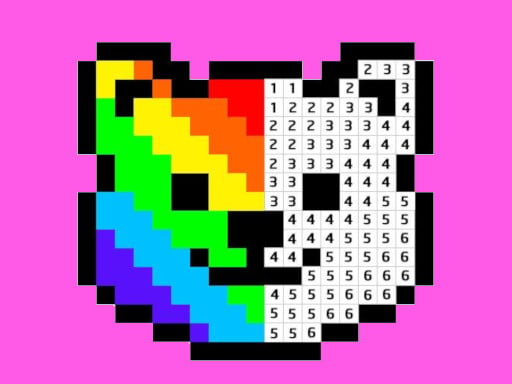
Pixel Art: Color by Numbers is a simple coloring game: each picture is made of pixels marked with numbers, and you color them with the matching colors until a full pixel artwork appears. The developer stresses that it does not need any skills, and the collection includes many free pixel pictures suited to both adults and kids.
The controls are minimal. A left click draws one pixel, and holding for two seconds before dragging lets you draw several pixels in one movement. That second control is the one that turns large areas of a picture from a chore into a quick sweep.
How to play
Pick a picture, choose a color, and left click a pixel with the matching number to draw it. To draw several pixels at once, hold the click for two seconds and then drag across them. Keep matching colors to the right numbers until the whole artwork is filled in.
Controls
- Left click — draw one pixel
- Hold 2 seconds, then drag — draw multiple pixels
Tips to win
- Finish one color across the whole picture before switching, so stray pixels do not pile up.
- Use the hold-two-seconds-then-drag move on long runs of the same number, like backgrounds.
- Hold for the full two seconds before you start dragging; that hold is what switches you to drawing multiple pixels.
Pixel Art: Color by Numbers strategy guide
Two controls, both worth learning. A left click draws a single pixel. Holding the button for two seconds and then dragging draws multiple pixels in one movement. The developer lists nothing else, and nothing else is needed: every picture is finished with these two actions.
Work one color at a time. The natural instinct is to finish one area of the picture before moving on, but that means switching colors constantly. Choosing a color and filling every pixel with its number across the whole image means fewer switches and a calmer session, and it makes it harder to miss a pixel.
Use the drag for big areas. Long runs of the same number, especially backgrounds, are exactly what the hold-and-drag control is for. Hold for the full two seconds, then sweep across the run. Clicking those pixels one by one works, but it turns the most relaxing part of the game into repetition.
Leave single pixels for last. Isolated pixels are the slowest to find and the easiest to misclick. Once the larger areas are filled, the remaining ones stand out against the finished parts of the picture and are quick to pick off with single clicks.
No skill required. The developer describes it as needing no skills, and the large set of free pixel pictures is meant for both adults and kids. That makes it a good pick when you want something calm that does not ask for fast reactions. Pick a picture that looks interesting, follow the numbers, and the artwork comes together one pixel at a time.
Pixel Art: Color by Numbers FAQ
How do you color several pixels at once in Pixel Art: Color by Numbers?
Hold the left mouse button for two seconds, then drag across the pixels you want to color. A quick left click draws just one pixel.
What do the numbers mean in Pixel Art: Color by Numbers?
Each number tells you which color belongs in that pixel. Coloring every pixel by the right number reveals the finished pixel artwork.
How do I color faster in Pixel Art: Color by Numbers?
Fill every pixel of one number across the whole picture before switching colors, and use the hold-two-seconds-then-drag move for long runs of the same number.
Is Pixel Art: Color by Numbers hard?
No. The developer says it does not need any skills, and the pictures are meant for both adults and kids.