Port Bike Stunt
Ride a road built from shipping containers — five lives per level.
 Loads instantly · Free · No install
About Port Bike Stunt
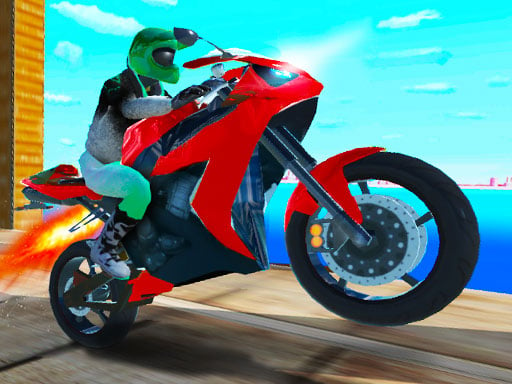
Port Bike Stunt moves the Bike Stunt series into a working port, and the level design comes straight out of the setting: the track is a road made of stacked shipping containers, some of them tilted at angles that were clearly not meant for a motorcycle, with traps placed where you are least likely to be looking.
You get five lives per level, which is generous enough to encourage experimenting and tight enough that careless riding still ends a run. Each level cleared unlocks another motorcycle, and the long tunnel ramps are built specifically to be taken with nitro. The two-player option splits the keyboard so both riders attempt the same container stack simultaneously.
How to play
Ride with your movement keys and use nitro to clear the long tunnel ramps. Watch for containers set at an incline — they change your landing angle and are the main cause of lost lives. You have five lives per level; clearing a level unlocks a new motorcycle. Press R to restart after a bad crash.
Controls
- Player 1 — Arrow keys ride, N nitro, C camera
- Player 2 — W A S D ride, T nitro, Q camera
- R — restart level
Tips to win
- Approach tilted containers slowly and let the bike settle before accelerating away.
- Spend nitro at the base of the tunnel ramps, not halfway up them.
- Change the camera when a section looks ambiguous — the side view reads container gaps far better.
Port Bike Stunt strategy guide
Player one on the arrows with N for nitro and C for camera; player two on W A S D with T and Q. R restarts the level for either rider. Two complete control sets on one keyboard, which is what makes the two-player mode a genuine head-to-head rather than an afterthought.
The road is made of shipping containers, and some of them are tilted. That is the central hazard: containers placed at an inclination change your landing angle without warning, and they are the main reason riders lose lives. Look at the surface you are about to land on rather than the one you launched from, and adjust your rotation for the slope rather than for level ground.
Five lives per level, so treat each one as a budget. Unlike a game that restarts freely, here a careless attempt costs a real resource. The sensible approach on a new level is to spend the first life scouting — riding conservatively to see the layout — and the remaining four riding it properly. Burning three lives on the same optimistic jump is how levels get abandoned.
Nitro is for the tunnel ramps. The long tunnel ramps need the extra speed to clear, and that is what the boost is for. Applying it on the approach to a ramp converts into distance; applying it mid-air or into a tight section of the port converts into a crash. Know which ramps on each level actually need it.
Finish levels to unlock bikes. A new motorcycle unlocks after each level, so progression is straightforward — and later bikes handle differently enough that revisiting an earlier level with one can feel like a different game. If a level is frustrating you, clearing an easier one for the new bike is a legitimate route forward.
Port Bike Stunt FAQ
How many lives do you get?
Five per level. A new motorcycle unlocks after each level you clear.
What makes the Port Bike Stunt track difficult?
The road is built from shipping containers, and it is harder than it looks: there are several traps along the way, and some containers are set at an incline, which changes the angle you land at. Watching the surface you are about to land on, rather than the one you just left, avoids many crashes.
When should you use nitro in Port Bike Stunt?
The game specifically recommends nitro for the long tunnel ramps, which need extra speed to clear. Player 1 boosts with N and Player 2 with T. Fire it on the approach so you reach the ramp fast; boosting into a tight section of containers is more likely to cost you one of your five lives for the level.
How do you change the camera in Port Bike Stunt?
Player 1 presses C and Player 2 presses Q to change the camera view. Switching views can help when you want a clearer look at a stretch of tilted containers or an upcoming trap. Either player can press R to restart the level when a run goes badly instead of riding on with a wrecked attempt.