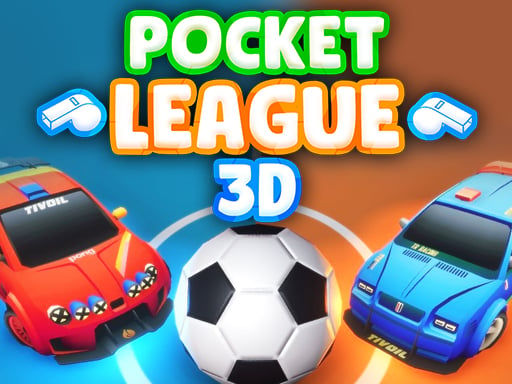
Pocket League 3D
Soccer played with cars — jump, flip, and smash the ball into the net.
 Loads instantly · Free · No install
About Pocket League 3D
Pocket League 3D is football played by cars, and the mechanic that carries it is the jump: the developer says jumping your car makes for a stronger hit, and a double jump flips the car through the air and hits even stronger. Learning when to spend that double jump is most of the skill curve.
It plays as 1 or 2 player, and you can also add AI bots, which the developer says will help you in the matches. That flexibility makes it one of the better picks here whether you are on your own or have a friend at the keyboard.
How to play
Drive at the ball and hit it toward the goal. Press your jump key once to leave the ground, twice to flip for a much harder strike. Solo play uses the arrow keys with Space to jump; in two-player, Player 1 takes the arrow keys with L and Player 2 takes WASD with G.
Controls
- Solo — Arrow keys, Space to jump, double Space to flip
- Player 1 — Arrow keys, L to jump, double L to flip
- Player 2 — WASD, G to jump, double G to flip
- Optional AI bots to help you in matches
Tips to win
- Do not chase the ball on the ground — drive to where it is going and jump into it.
- Save the double jump for when the extra power buys you a shot — the flip is your strongest hit.
- Add AI bots when you want backup; the developer says they will help you in the matches.
Pocket League 3D strategy guide
Three layouts depending on how many of you there are. Playing alone, you use the arrow keys with Space to jump and a double-press of Space to flip. In two-player, Player 1 takes the arrow keys with L for jump and double-L for the flip, and Player 2 takes WASD with G. Pick your country's flag, and try to score the most goals before time runs out.
The double jump is the whole game. A jump makes your hit stronger; a double jump flips your car through the air and hits even stronger, in the developer's words. Learning when to spend that second press is most of the skill curve, because the flip is the hardest hit you have and you want it to land on the ball.
Drive to where the ball will land. Chasing the ball along the ground is the beginner's mistake — you arrive behind it, nudge it forward, and repeat. Reading the bounce and arriving early enough to jump into it is what converts possession into shots. Position first, contact second.
Do not waste the flip. Treat the double jump as a resource rather than a default. If the ball is close and rolling gently, a plain drive-through is often enough to move it on, and you stay on the ground and ready for the next touch. Save the flip for when the extra power actually buys you a shot on goal.
Use the bots. You can include AI bots in the game, and the developer says they will help you in the matches. That makes them useful whenever you want backup, whether you are playing alone or with a friend on the same keyboard. Learn the jump and the flip first, then add bots once you are comfortable with your own car.
Pocket League 3D FAQ
How do you hit the ball harder in Pocket League 3D?
Jump into it. A double jump flips your car through the air and hits considerably harder than a normal jump.
Can you play Pocket League 3D alone?
Yes. It supports 1 and 2 player, and you can add AI bots to help in matches.
What keys do two players use in Pocket League 3D?
Player 1 drives with the arrow keys and jumps with L (double L to flip); Player 2 drives with WASD and jumps with G (double G to flip). Space is only the jump key in single-player.
How is a match won in Pocket League 3D?
Matches are timed: the side that has scored the most goals when time runs out wins.
Can you choose a team in Pocket League 3D?
You pick the flag of a country to play under before the match; the developer does not describe it changing how your car performs.