Darts Pro Multiplayer
Classic darts with three modes, including a multiplayer ladder.
 Loads instantly · Free · No install
About Darts Pro Multiplayer
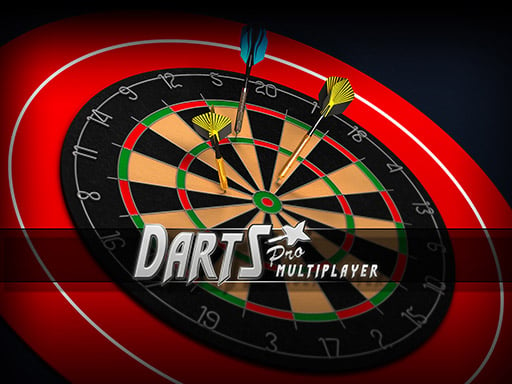
Darts Pro Multiplayer is a clean, stylish version of the classic pub game, and the thing that separates it from a one-mode dartboard toy is that it ships with three ways to play — an online multiplayer mode, a match against the computer, and a challenge mode where two people take turns on the same device. That gives it more shelf life than the usual single-screen darts game.
The throw is a three-part input: position, direction and strength are all set from one gesture, so accuracy comes from committing at the right instant rather than from dragging a crosshair into place. If you want the traditional scoring format instead, Darts 501 plays the standard 501 game.
How to play
Tap or click the board to set the starting position, direction and strength of your throw — all three come from that one input, so timing is the whole skill. Pick a mode from the menu first: online multiplayer, a match against the computer, or a challenge against a friend on the same device.
Controls
- Click or tap to set position, direction and power
- Three modes — online multiplayer, versus computer, friend on the same device
- Mouse or touch; no keyboard needed
Tips to win
- Play the computer first. The throw gesture is unusual enough that going straight into an online match costs you the first leg.
- Aim for treble 20 only once the timing is reliable — until then the single 20 bed scores more over a full round.
- Power matters as much as direction here. A well-aimed weak throw still drops low on the board.
Darts Pro Multiplayer strategy guide
One gesture, three decisions. Every throw in Darts Pro Multiplayer comes from a single tap or click that sets where the dart starts, which way it goes and how hard it flies. Most early misses are not aiming errors at all but strength errors — the dart travels in the right line and simply lands low or high. When a throw misses, ask which of the three went wrong before you change everything at once.
Pick the right mode for what you want. The game lists three: an online multiplayer mode, a match against the computer, and a challenge against a friend playing on the same device. The computer match is the best place to learn the gesture because there is no one waiting on you. The same-device challenge is the one to use in a classroom or at home — you pass the mouse or the tablet back and forth between throws.
Build a repeatable throw. Pick one target, usually the 20 at the top of the board, and throw at it until the dart lands in the same area three times running. Consistency on one bed is worth far more than an occasional treble somewhere else, because a match is decided over many darts, not one.
Common mistakes. Rushing the throw after a bad dart is the big one: the gesture rewards the same calm timing every time. The second is chasing trebles too early. Until your grouping is tight, aiming at the big single area loses fewer points than aiming at the thin treble ring and missing into a low number beside it.
Against a friend. On a shared device the game becomes a test of nerve as much as touch. Take your time over each throw — there is no penalty for a slow, deliberate dart.
Darts Pro Multiplayer FAQ
What are the three modes in Darts Pro Multiplayer?
An online multiplayer mode, a match against the computer, and a challenge against a friend playing on the same device.
How do you throw in Darts Pro Multiplayer?
Tap or click the screen. That one input sets the starting position, the direction and the strength of the throw.
Why do my darts keep landing low?
Usually the throw was too weak. Direction and strength come from the same gesture, so a well-aimed dart can still drop below the target if the strength is short.
Is Darts Pro Multiplayer the same as Darts 501?
No. Darts 501 plays the standard 501 countdown format; Darts Pro Multiplayer is built around its three play modes and the single-gesture throw.