Obby Rainbow Parkour: Two Player
Co-op obby parkour — rainbow courses, one friend, one shove key.
 Loads instantly · Free · No install
About Obby Rainbow Parkour: Two Player
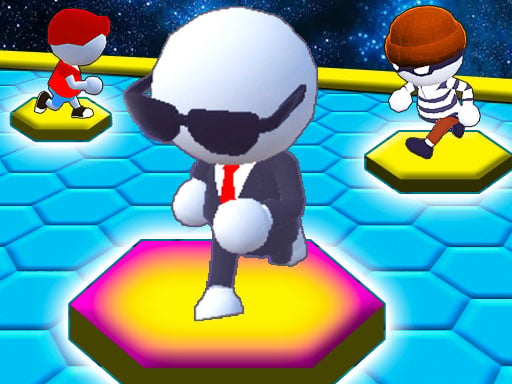
Obby Rainbow Parkour: Two Player brings the obby genre to the same-keyboard couch: colorful rainbow courses full of tricky jumps, playable solo or with a friend running beside you — one of you on WASD, one on the arrows. And yes, there's a shove key. The game knows exactly what friendship is.
Co-op obby has a special rhythm: you help each other read jumps right up until the finish line is in sight, and then Q gets pressed. Every time.
How to play
Player 1 moves with WASD, jumps with Space, sprints with Shift and shoves with Q; Player 2 moves with the arrow keys, jumps with L and sprints with Shift. Clear the rainbow courses together and reach the finish line of every level. Solo mode works too.
Controls
- P1 — W A S D + Space (jump) + Shift (sprint) + Q (shove)
- P2 — Arrow keys + L (jump) + Shift (sprint)
- Solo mode supported
Tips to win
- Sprint-jumps clear the wide gaps — walking jumps are for precision ledges only.
- In co-op, stagger your runs; landing on the same platform invites tragedy.
- The shove is strongest near edges and friendships. Budget it wisely.
Obby Rainbow Parkour: Two Player strategy guide
Two players, one keyboard. Player 1 moves with W A S D, jumps with Space, sprints with Shift and shoves with Q. Player 2 moves with the arrow keys, jumps with L and sprints with Shift. You can also run the courses alone, so the game works whether a friend is sitting next to you or not.
The goal is the finish line. Each colorful rainbow level is an obstacle course: run, avoid the tricky obstacles, make precise jumps and reach the end. In two-player mode the idea is to complete the levels together, which means both runners have to get through, not just the faster one.
Sprint when you need distance, walk when you need precision. Holding sprint carries you further on a jump, which helps with wide gaps but makes small platforms harder to land on. A common mistake is sprinting everywhere and overshooting a ledge that only needed a short hop. Decide before each jump which kind it is.
Give each other room. Two runners trying to land on the same small platform at the same moment tends to end badly for one of them. Let one player cross a hard section first while the other watches where the landing spots are, then follow. Talking through a tricky jump out loud is often faster than both players guessing.
Use the shove with care. The shove key exists, and near an edge it can send your partner off the course. Since the aim is to finish every level together, save it for fun moments rather than the middle of a difficult jump. To improve, replay a level you struggled with and focus on one obstacle at a time; once each jump feels routine, the whole course goes much faster.
Obby Rainbow Parkour: Two Player FAQ
Can you play Obby Rainbow Parkour Two Player alone?
Yes. You can play alone or team up with a friend on the same keyboard.
How do you beat a level?
Run and jump past the obstacles and reach the finish line. In two-player mode you and your friend complete the course together.
What does the Q key do in Obby Rainbow Parkour Two Player?
Q is Player 1's shove key. It lets the WASD player push the other runner, which near an edge can knock them off the course. Since the goal in two-player mode is for both of you to complete the level together, shoving at the wrong moment can cost the team progress.
Which keys does Player 2 use in Obby Rainbow Parkour Two Player?
Player 2 moves with the arrow keys, jumps with L and sprints with Shift. Player 1 uses W A S D to move, Space to jump, Shift to sprint and Q to shove. The developer's instructions do not list a shove key for Player 2.