Ultimate Flying Car
Drive it, then fly it — city supercars with wings, two on one keyboard.
 Loads instantly · Free · No install
About Ultimate Flying Car
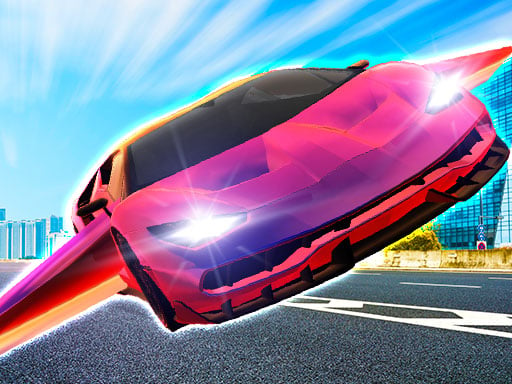
Ultimate Flying Car takes the ordinary open-city driving sandbox and bolts wings onto it. You start on the long boulevards like any driving sim, then pull up and the whole map becomes vertical — rooftops, bridges and skylines that were scenery a second ago turn into things you can fly between.
Races are how you unlock the rest of the garage, but the real draw is the split keyboard. Two players share one screen, one on WASD and one on the arrows, which makes it a natural fit for a shared library computer: no accounts, no lobby, just pick a car and see who lands on the tower first.
How to play
Pick 1 player or 2 player from the menu, then drive with your movement keys and pull up once you have speed to switch into flight. Shift (Player 1) or M (Player 2) fires the NOS boost, and the reset key drops your car back upright when a landing goes wrong. Win races to unlock new flying cars.
Controls
- Player 1 — W A S D drive, Shift NOS, Space handbrake, T look back, R reset car
- Player 2 — Arrow keys drive, M NOS, K handbrake, L look back, U reset car
Tips to win
- Build ground speed before pulling up — a slow takeoff just stalls you into a wall.
- Save NOS for the climb, not the straight; altitude is worth more than top speed here.
- Learn the reset key early. In two-player races the faster recovery wins more often than the faster car.
Ultimate Flying Car strategy guide
Two full control sets, and each includes a reset key. Player one drives with W A S D, fires NOS with Shift, looks back with T, fixes the car's position with R and handbrakes with Space. Player two uses the arrow keys with M for NOS, L to look back, U to fix position and K for the handbrake. The reset keys matter more than they sound — in a game where you leave the ground, ending up on your roof is routine.
Build speed before you try to fly. The car needs momentum before it will transition into flight, so pulling up from a standing start achieves nothing except confusion. Take a run down one of the long city streets first. Once you are in the air, the handling changes completely and the keys you were using to steer are now controlling pitch and roll.
NOS is for the transition and the straight. Shift and M give you the speed to get airborne and the speed to stay useful once you are up there. Spending the boost in a tight street simply puts you into a building faster. The two moments worth it are the run-up before you take off and a long open stretch where the extra pace converts to distance.
Use the reset key early. R and U drop the car back upright, and the mistake nearly everybody makes is spending five seconds trying to wrestle a flipped car back over before remembering it exists. In a two-player race those five seconds are the race. Flip, reset, carry on.
Race to unlock, explore to enjoy. Winning races unlocks new flying cars, and the modes all run in either 1 player or 2 player. If the point of the session is progression, race; if it is messing about with a friend, the city itself is the better playground — and looking back with T or L is how you find out whether they are still behind you or already somewhere above.
Ultimate Flying Car FAQ
Can I play it alone?
Yes. All the game modes can be played in either 1 player or 2 player.
How do you unlock new cars?
Take part in races and win them — new flying cars unlock as you progress.
What do the R and U keys do in Ultimate Flying Car?
They fix your car's position: R for Player 1 and U for Player 2. Use them when a landing leaves your car in a bad spot.
Do you have to race in Ultimate Flying Car?
No. You can explore the sky freely with the flying cars, or join races if you want to unlock new cars.