The Masked Forces Games Compared: Original, Crazy Mode and Dark Forest
Three games on PlayTundra carry the Masked Forces name: the original Masked Forces, Masked Forces Crazy Mode and Masked Forces: Dark Forest. All three are first-person shooters played with WASD and the mouse, and all three sit in the shooting category of their developer listings. They are not interchangeable, though. They differ in who you are shooting at, in whether you can play against other people, and in a handful of keys that matter the first time you reach for them — reload, crouch, slide and weapon switching.
This page also includes a fourth game, Urban Sniper Multiplayer 2, because it is often looked at alongside Masked Forces. To be plain about it: nothing in its developer listing connects it to the Masked Forces series. It does not share the name, and its listing does not mention the masked combat force or any of the other games. It is included here as the other multiplayer first-person shooter on the site, so you can compare it fairly, not because it belongs to the same family.
Every key quoted below comes from the developer's own listing for each game, matched using the game's distribution ID — the 32-character code the game is actually served from — rather than its title. Where the listing for one game includes a key the others do not, we say so instead of assuming it carries over.
The four games at a glance
| Game | Who you fight | Play modes in the listing | Keys in the listing |
|---|---|---|---|
| Masked Forces | Enemies on a battlefield; the mission is to kill all of them and win the battle | Multiplayer and singleplayer missions | WASD move, left click fire, mouse scroll change weapon, R reload, C crouch, Space jump, T chat, P pause |
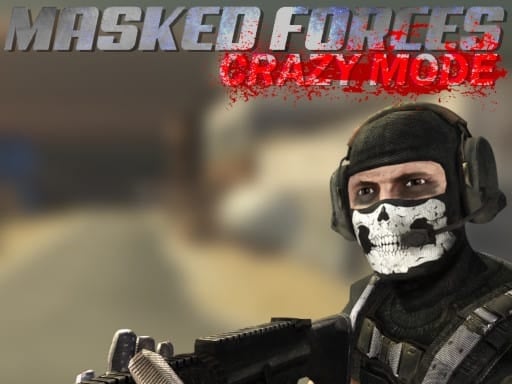
| Masked Forces Crazy Mode | Not specified beyond the crazy modes | Multiplayer or offline | WASD move, mouse aim and shoot, Space jump, T chat |
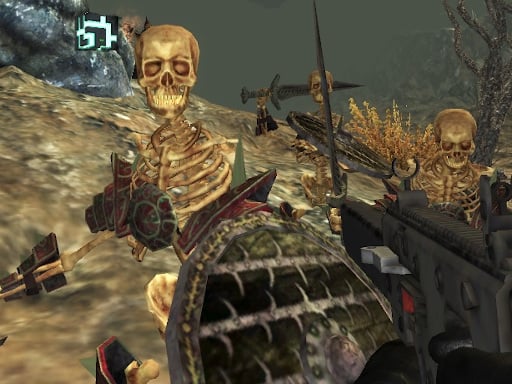
| Masked Forces: Dark Forest | Hordes of evil skeletons with dark magical powers | Multiple missions (no multiplayer listed) | WASD or arrow keys move, left click shoot, number keys switch weapon, Shift slide, Space jump |
| Urban Sniper Multiplayer 2 (not part of the series) | Rival players across a city map | Multiplayer; most frags wins | WASD move, LMB shoot, RMB aim, 1 2 3 select weapon, R reload, C crouch, Space jump, P pause |
Four things stand out from that table. First, WASD movement and mouse shooting are common to all four, so the basic feel transfers. Second, only Dark Forest lists the arrow keys as an alternative to WASD, and only Dark Forest has a slide, on Shift. Third, weapon switching is different in every game that lists it: the mouse scroll wheel in the original Masked Forces, the number keys in Dark Forest, and 1, 2 and 3 in Urban Sniper Multiplayer 2. Crazy Mode's listing does not name a weapon-switch key at all. Fourth, reload on R and crouch on C appear in the original Masked Forces and in Urban Sniper Multiplayer 2, but neither key is listed for Crazy Mode or Dark Forest.
What stays the same across the Masked Forces games
The three Masked Forces games share a core. Each is a first-person shooter: you move with W, A, S and D, look and aim with the mouse, fire with the left mouse button, and jump with Space. Each puts more than one weapon in your hands — the original lists an armory and a weapons shop, Crazy Mode promises a multitude of weapons, and Dark Forest has multiple weapons to unlock. And each one sits in the developer's shooting category, built for the browser with WebGL.
That shared base is what makes it easy to move between them. If you have played one, the movement and the trigger finger are already in place. What changes is the context around them: the opponents, the modes, and the extra keys layered on top.
Where each game is different
Masked Forces — the full key set
The original's listing pitches it at players who enjoy CS:GO or Call of Duty, and describes a shooting action game that tests strategy and survival skills. The stated mission is to kill all your enemies, survive in a battlefield environment and win the battle. It lists both multiplayer and singleplayer missions, an armory and a weapons shop.
Of the three Masked Forces games, it has the longest control list: WASD to move, left click to fire, the mouse scroll wheel to change weapons, R to reload, C to crouch, Space to jump, T to chat and P to pause. That makes it the one where a desktop-shooter habit — reloading behind cover, crouching at a corner — maps directly onto a listed key. It is also the only Masked Forces game whose listing includes a pause key.
Masked Forces Crazy Mode — the shortest control list
Crazy Mode's listing describes it as a fun shooting game with crazy modes, a multitude of weapons at your disposal, and either multiplayer or offline play. The listing does not name the individual modes or describe what each one changes, so we will not guess at them here; the way to find out is to open each one.
Its controls are the plainest of the four: WASD to move, the mouse to aim and shoot, Space to jump, and T to chat. There is no reload, crouch, pause or weapon-switch key in its listing. Because it explicitly supports offline play alongside multiplayer, it is the Masked Forces game where you can choose, from the start, whether real players are involved.
Masked Forces: Dark Forest — the fantasy entry with a slide
Dark Forest asks you to once again join the elite masked combat force, but this time the enemies are hordes of evil skeletons with special dark magical powers. Its listing describes it as a first-person shooter built around multiple missions, with multiple weapons to unlock, weapon skins, and armors with abilities. It does not mention multiplayer.
The controls are where Dark Forest separates itself. It is the only game here that accepts the arrow keys as well as WASD, the only one with a slide (Shift), and the one that switches weapons on the number keys. Its listing does not include reload, crouch, chat or pause keys. A player arriving from the original Masked Forces will find that C and R are not listed here and that Shift is new — the instinct to crouch on C needs to become an instinct to slide on Shift.
Urban Sniper Multiplayer 2 — the other multiplayer shooter on the site
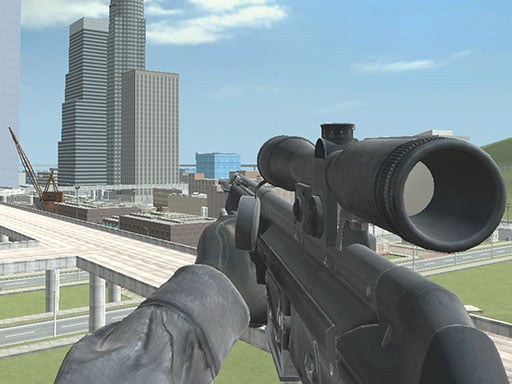
Urban Sniper Multiplayer 2 is a separate game, not a Masked Forces entry. Its listing describes sniper warfare in a grand city: you use different sniper rifles to shoot rival players across a large, detailed map, and the aim is to get the highest number of frags to win. Unlike the Masked Forces games, it splits aiming and shooting across the two mouse buttons — right mouse button to aim, left to shoot — and selects weapons with 1, 2 and 3. It also lists R to reload, C to crouch, Space to jump and P for the pause menu. If the Masked Forces games are about general gunfights, this one is specifically about sniper rifles, which is the clearest single reason to choose one over the other.
Key differences in controls
- Movement. WASD in all four. Dark Forest alone also accepts the arrow keys.
- Firing and aiming. Left click fires in all four. Urban Sniper Multiplayer 2 is the only one that lists a separate aim button, the right mouse button.
- Switching weapons. Mouse scroll in Masked Forces, number keys in Dark Forest, 1 2 3 in Urban Sniper Multiplayer 2. Not listed for Crazy Mode.
- Reload. R in Masked Forces and Urban Sniper Multiplayer 2. Not listed for Crazy Mode or Dark Forest.
- Crouch and slide. C crouches in Masked Forces and Urban Sniper Multiplayer 2. Dark Forest has no crouch listed but slides on Shift. Crazy Mode lists neither.
- Jump. Space in all four.
- Chat. T in Masked Forces and Crazy Mode — the two Masked Forces games that list multiplayer.
- Pause. P in Masked Forces and Urban Sniper Multiplayer 2.
Which one to play first
If you want the most complete version of the series and already know desktop shooters, start with Masked Forces: it has the fullest key set, including reload, crouch and pause, and it lists both singleplayer and multiplayer missions. If you want the fewest keys to remember, go to Crazy Mode, which needs only WASD, the mouse, Space and T, and lets you stay offline if you prefer. If you would rather fight computer-controlled enemies than other people, or you play with the arrow keys, pick Dark Forest, the one built around missions against skeleton hordes and the only one that accepts arrow-key movement. And if what you are after is long-range sniping against other players rather than the Masked Forces formula, Urban Sniper Multiplayer 2 is the one designed around sniper rifles and frag counts.
Mistakes that come from switching between them
- Scrolling for a weapon in Dark Forest. The original changes weapons on the scroll wheel; Dark Forest lists the number keys. Learn which number holds the weapon you reach for most.
- Pressing C in Dark Forest. Crouch on C is listed for the original, not for Dark Forest. The movement key Dark Forest adds is the slide on Shift.
- Looking for a pause in Crazy Mode or Dark Forest. P is listed only for Masked Forces and Urban Sniper Multiplayer 2.
- Firing without aiming in Urban Sniper Multiplayer 2. It separates aim (right mouse button) from shoot (left), unlike the Masked Forces games, where the listings put aiming on the mouse and firing on the left button.
- Assuming Dark Forest has other players. Its listing describes missions against skeletons and does not mention multiplayer, so the chat key from the other two games is not part of it.
Can two people play Masked Forces?
None of these four is a two-player game on one keyboard. Masked Forces and Crazy Mode list multiplayer, and Urban Sniper Multiplayer 2 is built around rival players, but in each case that means players on their own devices, not two people sharing one set of keys. If you want two people playing at once on the same keyboard, our two-player, one-keyboard list is the better place to start, and our online multiplayer comparison covers more games where you play against others.
How this page was put together
We did not rate or rank these games by playing them, and we are not claiming scores, kill counts or match results. What this page does is line up facts from the developer's listing for each of the four games — the keys, the modes, the enemies and the stated objectives — after matching each listing to the game by its distribution ID. Where a detail appears in one listing and not in another, we have said it is not listed rather than filled the gap. Where a game page on this site disagreed with the developer's listing, this page follows the listing. Each embed was also re-checked from a server in the United States on the date shown at the top. If any of these games changes, its entry here will be updated when its page is.